Your privacy matters. Learn how to protect it.
Cybersecurity is essential for individuals and organizations alike. Learn the basics and take control of your digital safety with our comprehensive guides, tools, and resources.
Fundamentals of Digital Privacy
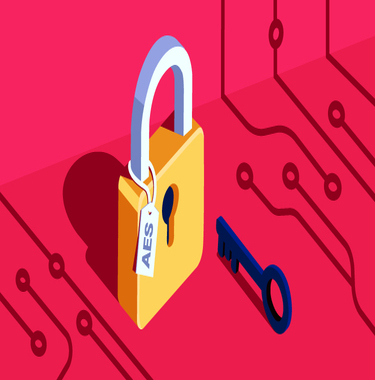
Encryption
Encryption is crucial for protecting data. It ensures that only authorized users can access information, keeping your personal and sensitive data secure from cyber threats.
Learn More About Encryption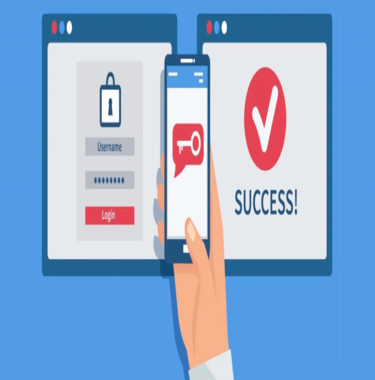
Secure Passwords & MFA
Strong passwords and multi-factor authentication (MFA) provide a robust defense against unauthorized access. Use unique passwords for each account and enable MFA for added security.
Secure Your Accounts Now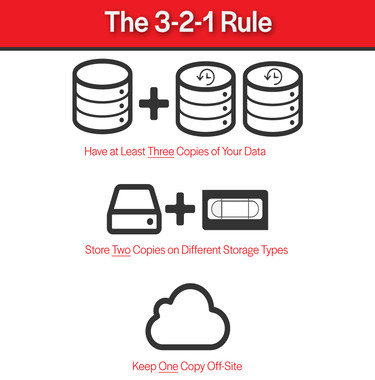
Data Backups
Follow the 3-2-1 rule to back up your data effectively: Keep three copies of your data, store it on two different media, and have one backup offsite. This ensures you are prepared for data loss scenarios.
Protect Your DataPrivacy Tools to Safeguard Your Digital Presence
VPN Usage
Use a VPN to secure your internet connection, especially on public Wi-Fi networks. VPNs encrypt your internet traffic, keeping your data safe from prying eyes and ensuring your online activities remain private.
List of reputable VPN services:
- Proton VPN: Offers a robust free plan with unlimited data, making it an excellent choice for users seeking cost-effective privacy solutions. It provides advanced privacy tools, including multi-hop connections and access to the Tor network via VPN.
- NordVPN: It offers specialized servers, such as Double VPN and Onion over VPN, for enhanced security. The service has a strict no-logs policy and has undergone third-party audits to verify its privacy practices.
- CyberGhost: Optimized for streaming and torrenting. It provides strong encryption and a strict no-logs policy. The service also includes an automatic kill switch and DNS leak protection to ensure user privacy.
Anonymized Emails & Browser Extensions
Utilize anonymized email addresses to protect your real email and prevent spam. Browser extensions like Facebook Container can help limit data tracking and enhance your privacy while browsing.
Tools designed to enhance email anonymity and browser security:
- ProtonMail: ProtonMail offers end-to-end encryption, ensuring that only you and your recipient can read your emails. It operates under strict Swiss privacy laws and provides a user-friendly interface.
- DuckDuckGo Privacy Essentials: This extension provides private search capabilities, blocks hidden trackers, and ensures websites use encrypted connections when available. It offers a comprehensive privacy solution in a single package.
- Ghostery: Ghostery enhances your browsing experience by blocking trackers, providing insights into who is tracking you, and speeding up page loads. It offers a user-friendly interface with detailed tracker information.
Auto-Updates
Enable automatic updates for your software and devices to keep them secure from vulnerabilities. Regular updates help patch security flaws and keep your systems protected from cyber threats.
Be sure to update:
- Security Software: Your antivirus or firewall programs must be up to date to work, whether they came pre-installed or you loaded them onto your device.
- Operating system software: This could be Windows, Apple OS, or Chrome, for example.
- Internet browsers and apps: Developers often provide updates to address security issues, to fix bugs, or add new features.
What To Do When Things Go Wrong
Target Audience
Young Adults & Adults (18-45)
Learn how to secure your personal devices and accounts to prevent unauthorized access and stay safe online.
Professionals in High-Risk Roles
Access tools and resources designed to keep your communications secure and your sensitive information protected from cyber threats.
Small & Medium Business Owners
Guides and practices to protect your business data from cyber threats and help you maintain a secure digital environment for your customers.
Older Adults (50+)
Learn how to recognize online scams, protect your identity, and ensure your digital life remains safe and secure.
Stay Safe Online
Protect your personal information through encryption, secure passwords, privacy tools, and incident response. Together, we can create a safer digital world.
Security Plan